 Ruru
Ruru
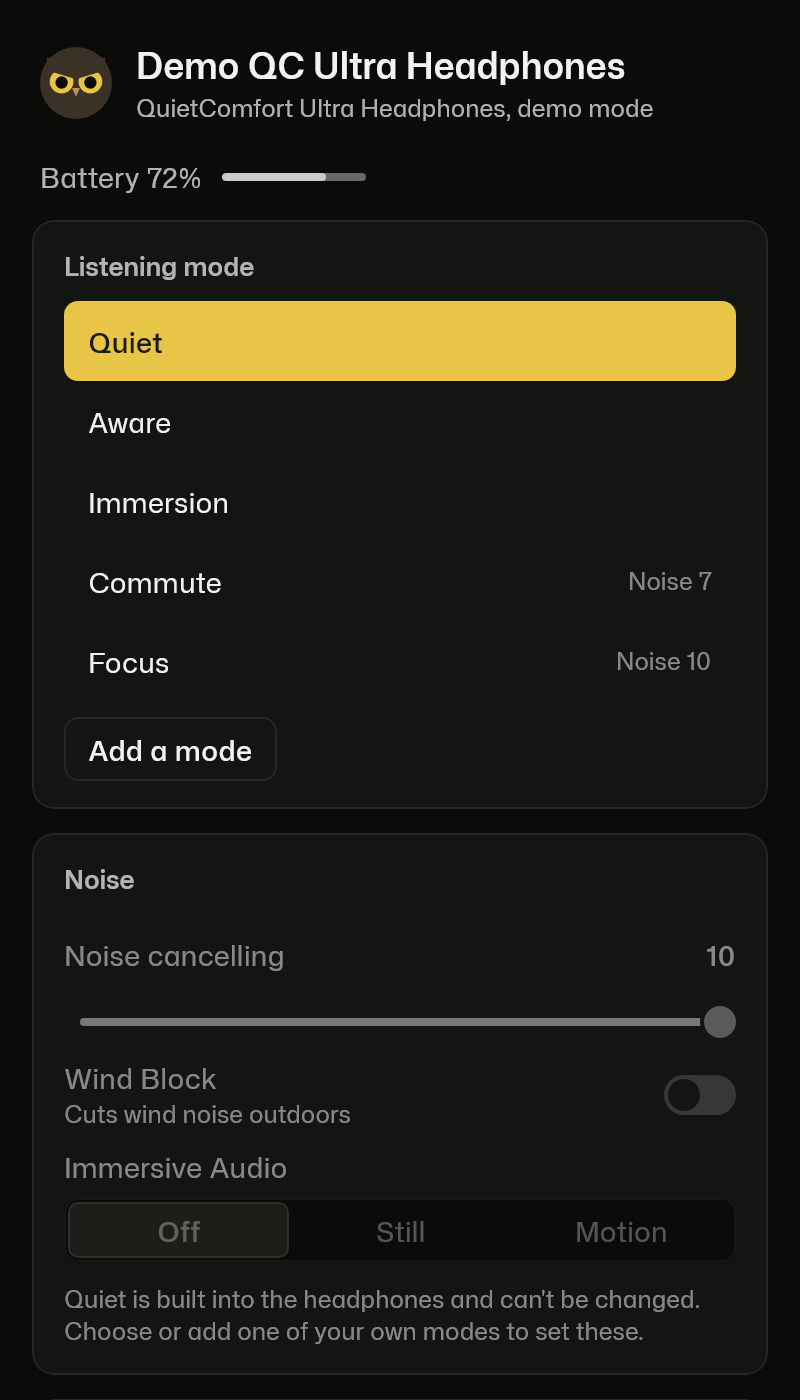
Ruru changes the settings on your Bose headphones. It works on your computer and on your phone.
It's free. You don't need an account, and it doesn't use the internet.
How it works
- Download Ruru for your computer or phone.
- Connect your headphones with Bluetooth, the way you always do.
- Open Ruru. It finds your headphones and shows their settings.
Download
Pick your computer or phone. Each button gets the newest version.
-
Windows 10 and 11Your system
Tested with real Bose headphones.
-
Mac with an Apple chip, macOS 12 or newerYour system
It opens and works in demo mode. Nobody has tried it with headphones yet.
-
LinuxYour system
It opens and works in demo mode. Nobody has tried it with headphones yet. The .deb file needs Ubuntu 24.04 or Debian 13, or newer.
-
Android 9 or newerYour system
It opens and works in demo mode. Nobody has tried it on a real phone yet.
-
iPhone with iOS 16 or newerYour system
You need a sideloading tool to install it. Nobody has tried it on a real iPhone yet, so it might not work.
Every version has a demo mode with pretend headphones, so you can look around first.
Opening it the first time
Windows and Mac may warn you the first time, because Ruru isn't signed by Microsoft or Apple yet.
- On Windows, choose More info, then Run anyway.
- On a Mac, open System Settings, then Privacy & Security, and choose Open Anyway. On macOS 12 it's System Preferences, then Security & Privacy.
If Windows says Smart App Control blocked Ruru, Ruru can't run on that computer. Smart App Control only allows signed apps.
Close the Bose app first. Only one app can talk to the headphones at a time.
What it can change
- Listening modes, and your own modes
- How much noise cancelling you get
- Wind Block and Immersive Audio
- Bass, mid and treble
- What the shortcut button does
- Self voice, multipoint, auto-off and more
On a computer, Ruru sits in the corner by the clock and shows the battery level.
Ruru doesn't update the headphones' firmware. Use the Bose app for that.
Ruru and the Bose app
| Ruru | Bose app | |
|---|---|---|
| Works on | Windows, Mac, Linux, Android and iPhone | iPhone and Android |
| Account | Not needed | Optional |
| Internet | Not used | Used |
| Size on iPhone | 12 MB | 1.15 GB |
| Firmware updates | No | Yes |
| Headphones tested | QC Ultra Headphones (1st Gen) | All Bose headphones |
| Price | Free, and the code is open | Free |
Other free Bose tools, like Earshot for Android and bosectl for Linux and Mac, each run on fewer systems. Ruru uses Earshot's research.
Headphones
Ruru has been tested with QC Ultra Headphones (1st Gen).
These should work too, but nobody has tried them with Ruru yet.
- QC Ultra Headphones (2nd Gen)
- QC Ultra Earbuds (1st and 2nd Gen)
- QC Headphones (1st and 2nd Gen)
- QC SC, QC45 and QC SE
- QC Earbuds II and QC Earbuds (2020)
- Ultra Open Earbuds
- Noise Cancelling Headphones 700
Tried Ruru with one of these? Tell me on GitHub. Use the Headphones report form, and paste the report from the bottom of the app.
Privacy
Ruru only talks to your headphones. It doesn't send anything anywhere.
There's no account, no tracking and no crash reports. The Android app can't use the internet at all.
This website has no cookies and no tracking. It asks GitHub which version is the newest.
Support
Ruru is free. If you like it, you can buy me a coffee on Ko-fi.